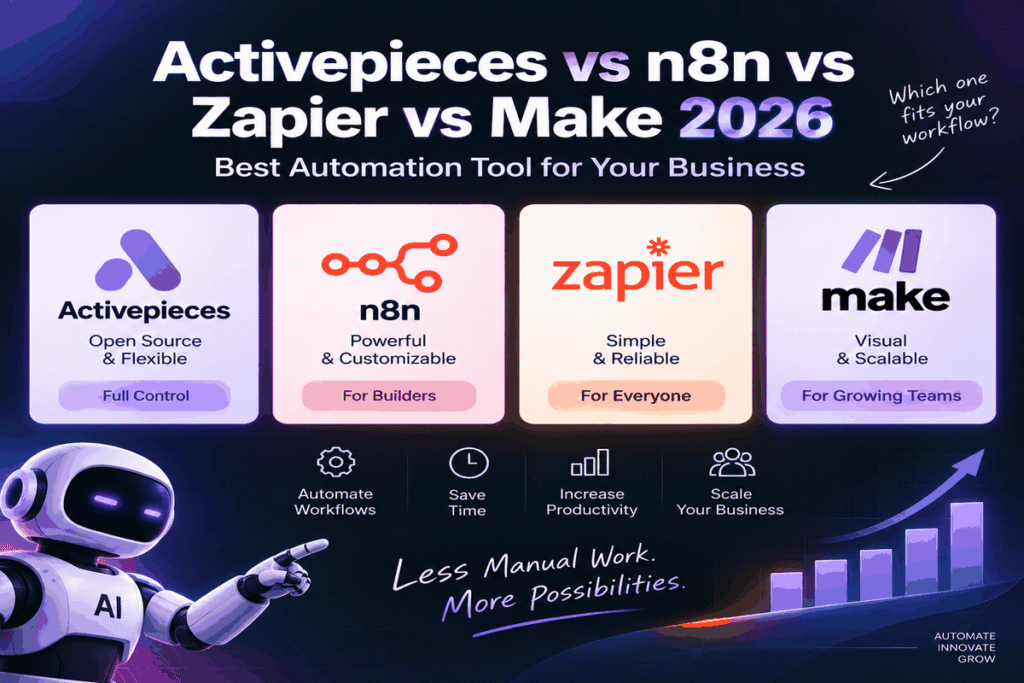
Activepieces vs n8n vs Zapier vs Make is the automation platform comparison every business owner needs to understand in 2026. Specifically, AI automation tool searches grew 900 percent year-over-year in 2025. The platform you build on determines your costs, workflow complexity limits and AI agent capabilities. Choosing the wrong platform means rebuilding everything when you hit pricing walls, execution limits or integration gaps. Furthermore, Activepieces has emerged in 2026 as the breakout challenger — used by Sequoia, Red Bull, Roblox, ClickUp, Docusign and Pipedrive — with unlimited task executions, a full-featured free tier and native MCP support that even n8n does not match out of the box. This Activepieces vs n8n vs Zapier vs Make guide covers every difference in pricing, features and MCP integration so you can choose the right platform.
The Four Platforms — Quick Numbers at a Glance
Why Activepieces vs n8n vs Zapier vs Make Matters in 2026
How the Market Changed in 2026
Specifically, the automation platform market in 2026 is not the same market it was two years ago. Consequently, AI agents, MCP integration and per-task pricing walls have made the platform choice far more consequential than before. Furthermore, businesses built on Zapier’s task-based model are hitting pricing ceilings. The same workflows cost under $10 on n8n or Activepieces. Notably, Spectrum AI Lab’s 2026 analysis confirms that Activepieces and Zapier both now support MCP for AI orchestration — meaning Claude and other AI agents can directly trigger and manage automation workflows through natural language. Additionally, Activepieces gives non-technical teams their first self-hosted, open-source option without n8n’s technical overhead.
The Case for Switching — 2026 Key Stats
Activepieces 2026 — Full Deep Dive
Specifically, Activepieces is the breakout automation platform of 2026. Consequently, it holds a 4.8/5 rating on G2 across 142 reviews with 92 percent five-star. Pricing is the most consistently cited reason people switch from Zapier. Furthermore, Activepieces charges per active workflow on paid tiers — meaning unlimited task runs at a fixed monthly cost. Notably, the free tier includes every feature — including the MCP server — up to 1,000 tasks per month. Additionally, enterprise users include Sequoia, Red Bull, Roblox, ClickUp, Docusign and Pipedrive — confirming this is not a hobbyist tool.
- Pricing model: Per active workflow — unlimited task executions on paid tiers. Free tier gives 1,000 tasks/month with ALL features
- MCP support: Native MCP server included — Claude can trigger workflows directly
- Self-hosted: Full open-source, Docker-based self-hosting with no feature restrictions
- Interface: Linear Zapier-like builder — significantly more beginner-friendly than n8n
- Integrations: 756+ native connectors — fewer than Zapier but growing fast
- G2 rating: 4.8/5 across 142 reviews (92% five-star)
- Enterprise users: Sequoia, Red Bull, Roblox, ClickUp, Docusign, Pipedrive
- Weakness: Complex branching and parallel workflows are harder than n8n
n8n 2026 — Full Deep Dive
Specifically, n8n remains the most powerful open-source automation platform for technical teams in 2026 — with 170,650 GitHub stars and a community of professional developers building complex, custom workflows. Consequently, the Community Edition is completely free — no execution limits, no feature restrictions and full self-hosting via Docker or Kubernetes. Furthermore, Automation Atlas’s March 2026 analysis confirms that n8n leads on self-hosting flexibility and elimination of per-execution pricing — making it the clear winner for high-volume technical teams with infrastructure capacity. Notably, n8n supports custom JavaScript and Python code blocks inside workflows. No other platform in this comparison matches this for genuinely complex automation logic.
- Pricing: Community Edition free — unlimited executions, all features, self-hosted
- Code blocks: JavaScript AND Python inside workflows — no other platform in this comparison offers this
- Integrations: 500+ native connectors plus unlimited custom API endpoints
- MCP support: MCP client — connects to GoHighLevel, Activepieces and other MCP servers
- Self-hosting: Docker, Docker Compose and Kubernetes — full data sovereignty
- GitHub stars: 170,650+ — by far the most popular open-source automation project
- Cloud option: $20/month Starter — no infrastructure management required
- Weakness: Steeper learning curve — not suitable for non-technical teams
Zapier — Full Deep Dive
Specifically, Zapier remains the most widely adopted automation platform globally — with 9,000+ app integrations and the lowest barrier to entry of any tool in this comparison. Consequently, for non-technical teams connecting two or three apps, Zapier is still the fastest path from idea to working automation. Furthermore, Automation Atlas confirms Zapier leads on integration breadth. It is the correct choice when time-to-first-automation matters more than pricing efficiency. Notably, the task-based pricing model becomes expensive quickly at scale. Specifically, Make offers 10 times more operations per dollar than Zapier. Both Activepieces and n8n eliminate per-task billing entirely on paid tiers.
- Integrations: 9,000+ apps — by far the largest library; if a service exists, Zapier likely has a native connector
- Ease of use: Simplest builder in the comparison — linear, guided, no technical knowledge required
- MCP support: Available on certain plans for AI orchestration
- Pricing: $19.99/month starter — limited tasks; pricing scales steeply with volume
- No self-hosting: Cloud only — no data sovereignty option
- AI features: AI actions for text summarisation, data extraction and content classification
- Best use case: Simple 2 to 3 step automations for non-technical teams on modest volumes
- Weakness: 10x more expensive per operation than Make; limited self-hosting; no code blocks
Make (Integromat) — Full Deep Dive
Specifically, Make (formerly Integromat) is the visual data transformation leader — offering scenario-based workflows where each module can be connected and configured with a drag-and-drop canvas that handles complex data mapping more elegantly than any other platform in this comparison. Consequently, Automation Atlas confirms Make leads on visual data transformation — delivering 10 times more operations per dollar than Zapier. Furthermore, at $9 per month for 10,000 operations, Make suits teams needing more sophistication than Zapier without n8n’s technical overhead. Notably, Make is cloud-only with no open-source edition — unsuitable for organisations with data residency requirements.
- Pricing: $9/month for 10,000 operations — approximately 10x more value than Zapier
- Visual builder: Best-in-class scenario canvas — complex data mapping without code
- Integrations: 3,000+ — strong mid-tier library between Zapier (9,000+) and n8n (500+)
- AI modules: OpenAI, Anthropic and other AI provider modules built in
- No self-hosting: Cloud only — same limitation as Zapier
- No open-source: Proprietary platform
- Best use case: Teams moving from Zapier wanting more power at lower cost
- Weakness: No self-hosting, no open-source, operation-based billing still limits high-volume use cases
Which Platform Wins for Each Use Case
Use Case Winner — Quick Reference
Budget and Compliance Use Cases
Activepieces vs n8n vs Zapier — Real Cost at Business Scale
Specifically, comparing automation platform pricing requires modelling realistic workflow volume rather than headline plan prices. Consequently, the per-task billing model becomes expensive much faster than the per-workflow or unlimited models used by Activepieces and n8n.
Real Cost — Processing 50,000 Automation Tasks Per Month
| Platform | Plan Needed | Monthly Cost | Notes |
|---|---|---|---|
| n8n (self-hosted) | Community Edition | $0–$5 ★ | Server hosting cost only — zero platform fees |
| Activepieces | Plus or Team | $16–$166 ★ | Per active workflow — unlimited executions |
| Make | Business plan | $59–$99 | 50K operations per month — no code blocks |
| Zapier | Professional | $73–$448 | 50K tasks per month — most expensive at scale |
Activepieces vs n8n — MCP Integration in 2026
Specifically, MCP (Model Context Protocol) is the feature that most clearly separates the 2026 automation market from what came before. Consequently, Activepieces ships a native MCP server. Claude and any MCP-aware AI agent can directly trigger and orchestrate workflows through natural language. Furthermore, this changes the paradigm entirely. The AI agent itself decides which workflow to run and when — without manually built triggers. Notably, n8n functions as an MCP client — connecting to GoHighLevel and Activepieces MCP servers — but does not expose its own workflows as MCP tools natively. Read our full comparison of GoHighLevel vs n8n 2026 for more on MCP server implementations.
Activepieces vs n8n vs Zapier vs Make — Final Verdict 2026
Specifically, no single platform wins this comparison for every use case. The correct answer depends on your team’s technical capacity, automation volume and AI agent requirements. Consequently, for technical agencies and developers, n8n remains the strongest long-term automation platform — free, unlimited, code-capable and self-hostable.
Specifically, in the Activepieces vs n8n comparison, Activepieces’ per-workflow pricing eliminates the ceiling Zapier users consistently hit. However, for non-technical teams wanting open-source with MCP support, Activepieces is the most compelling new choice of 2026. Its per-workflow pricing eliminates the ceiling Zapier users consistently hit. Furthermore, Make is the rational upgrade for Zapier users needing more visual power at lower cost. Additionally, Zapier retains its place only where its 9,000-app library covers a connection that alternatives cannot match. At Aiotagen, we build primarily on n8n for complex client workflows. We recommend Activepieces to non-technical clients needing MCP-enabled automation without infrastructure overhead. Therefore, one recommendation applies universally: if you are still paying Zapier’s task-based rates at scale, migrate immediately. Both Activepieces and n8n cut monthly automation costs by 80 to 95 percent.
FAQ — Activepieces vs n8n vs Zapier vs Make 2026
Activepieces vs n8n — Pricing and Migration
MCP, AI Agents and Technical Details
Activepieces vs n8n — MCP Server vs MCP Client
Combining Platforms — The Best of Both
Book a free 30-minute call with our team. We will review your current automation stack, workflow volume and AI agent requirements — and recommend the exact platform for your business.
Book Free Strategy Call →growth@aiotagen.com | WhatsApp: +92 347 672 3746
Aiotagen is an AI automation agency based in Islamabad, Pakistan. We build automation systems on n8n, Activepieces, GoHighLevel and Make for businesses across UK, UAE, USA, Canada, Australia and Pakistan. aiotagen.com